
Identify the work and slot behind the panel
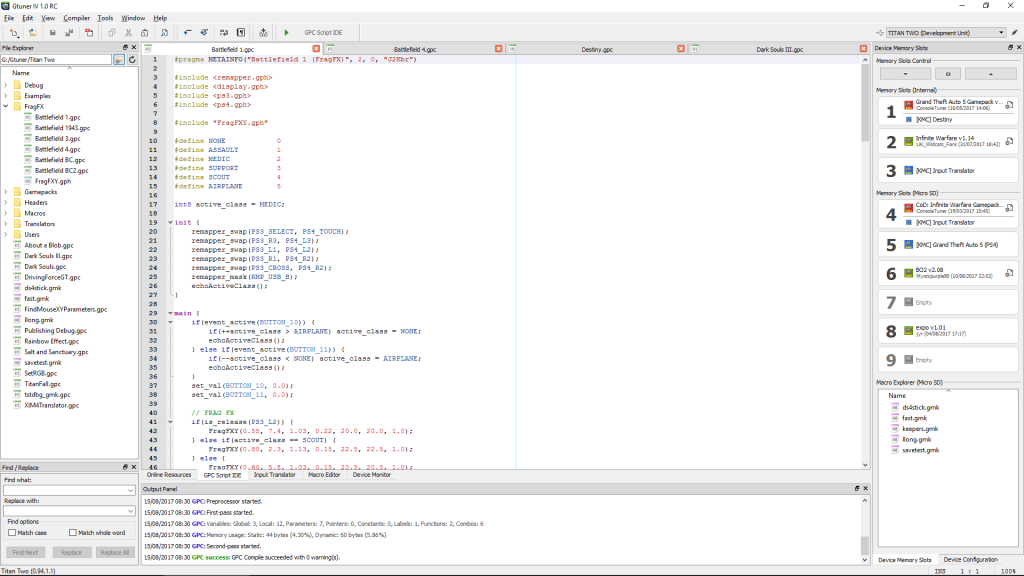
Find the resource name and revision, then match it to the relevant Device Memory Slots entry in Gtuner IV. Open the configuration associated with that entry if the work provides one. ConsoleTuner documents graphical configuration for downloadable work. The author controls the options in each panel, so compare the labels with the documentation for that revision.
Record the slot identifier before taking a screenshot. Two slots can contain similarly named work, while a panel shows the configuration you opened. A memory-slot overview establishes where to look. Only the configuration for the particular work supplies its individual values.
Test whether a harmless preference persists
Use a disposable copy or test slot. If the work exposes a harmless preference such as a status indicator, write down its initial value. Change just that preference, use the panel’s save action, close the configuration and reopen the same slot. Compare the reopened value with the setting you intended to retain. Then restore the original value and reopen once more to confirm the rollback.
Illustrative record for a work that actually exposes such a preference. Slot 3, revision 2, status indicator originally Off. After saving On, the reopened panel reads On. After restoring, the reopened panel reads Off. The expected result establishes persistence for that one control. It does not establish anything about in-game behavior.
Keep the original state distinct from defaults
Record the initial value even if you plan to use a reset function. ConsoleTuner’s release notes document a control context menu for restoring its default in compatible builds. The default comes from the work and can differ from the prior value you recorded. Use the saved reference when your goal is to return to the exact original configuration.
A useful comparison record contains the slot, work revision, control name, original value, requested value and value after reopening. If the test fails, identify which one differs before trying the change again. Avoid changing an unfamiliar gameplay option just to check whether the panel saves.
Sources
Titan Two AI publishes these guides independently. ConsoleTuner makes the Titan Two device and Gtuner IV.